Run AI agents securely. See everything they do.
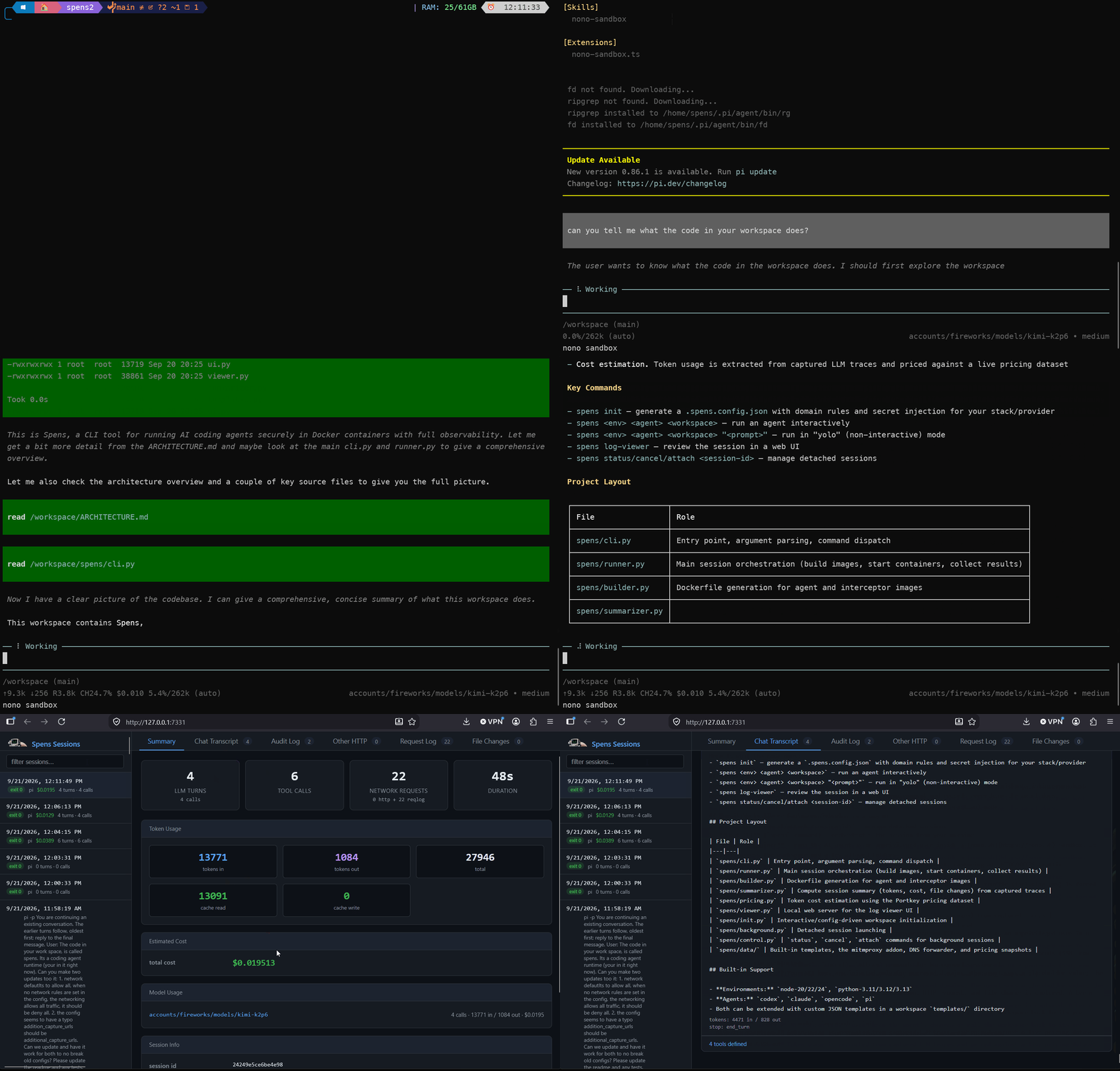
Spens runs coding agents in sandboxed Docker containers, intercepts every network call, and logs it all - LLM traffic, tool calls, file changes. Understand exactly what your agent did, line by line.
Getting started
1. Install
Requires Python 3.11+ and Docker. On macOS, OrbStack is required.
pip install spens-aiOr with uv.
uv tool install spens-ai2. Configure
Run spens init in your project directory to set up domain rules and secret injection.
cd my-project && spens init3. Run an agent
Pick an environment and agent, point it at your workspace:
spens node-24 pi .When the session ends, review everything in the log viewer.
What spens gives you
Security
The agent runs in a sandbox, isolated from your machine. It runs as an unprivileged user and cannot touch your home directory or your system files.
Observability
Every LLM API call, tool invocation, HTTP request, and file change is captured. After a session you can review exactly what the agent did, line by line, in a local web viewer.
Network control
You decide which domains the agent may contact and which HTTP methods it may use. Non-HTTP protocols are always blocked. With domain rules configured, any host that is not explicitly allowed is blocked.
Secret handling
Your API keys never enter the agent's container. The agent only sees a placeholder, which is swapped for the real key only for requests to approved domains.
Confidence in autonomous runs
Give the agent a prompt and let it run unattended ("yolo mode"), then review the full log and accept or roll back its file changes.
Run agents with confidence.
pip install spens-ai
spens node-20 codex .