The flight recorder for AI agents.
Run any agent in a sandbox. See every call, file, and request it makes. Your real API keys never enter the container.
pip install spens-ai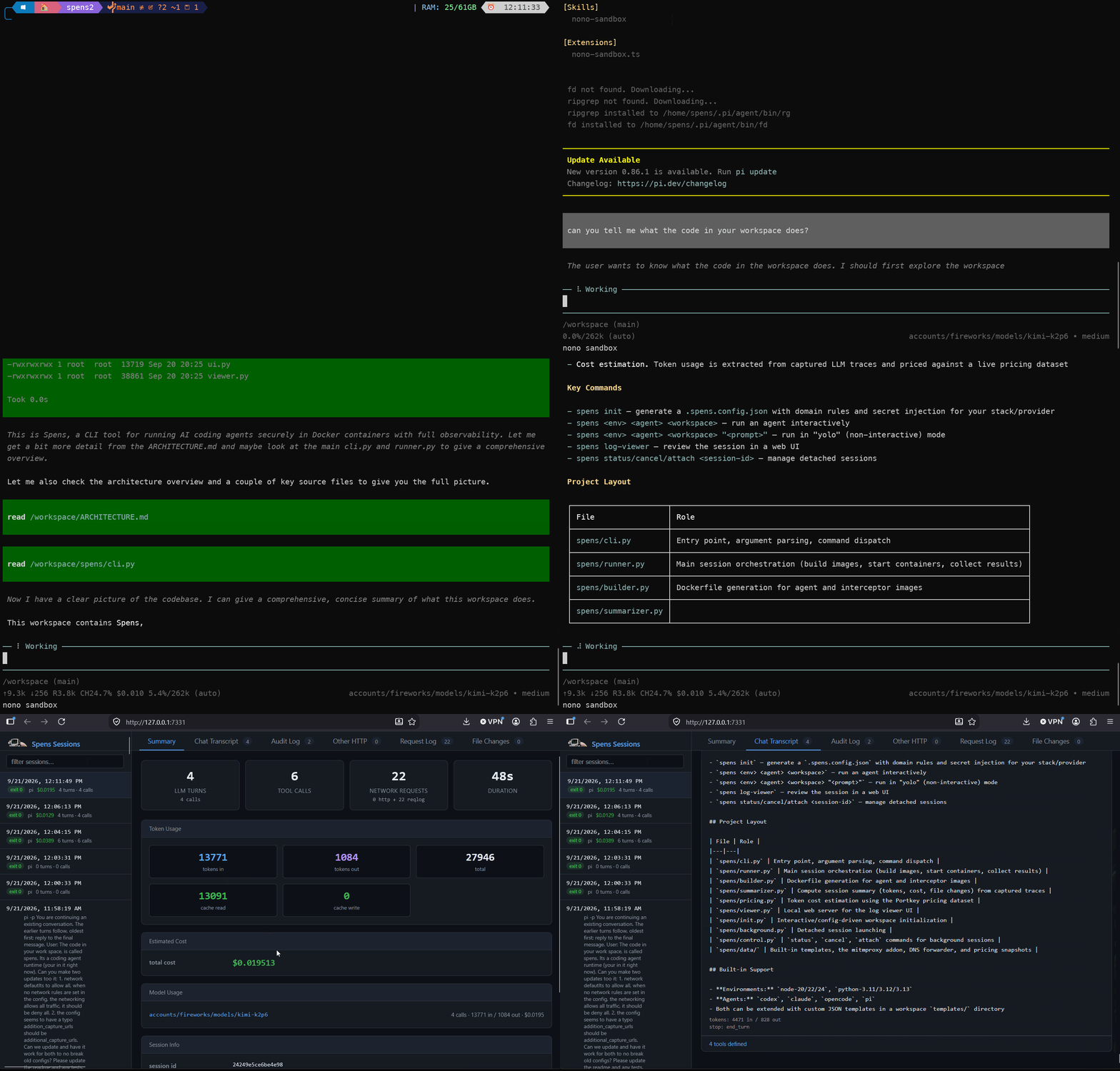
Spens is open source software by refwd.ai
Easy to get started
1. Install Spens
pip install spens-aiNeeds Python 3.11+ and Docker. On Mac, use OrbStack.
2. Set up your project
spens initPick the sites your agent may reach. Add your API keys. Spens keeps them out of the container.
3. Run an agent
spens node-24 claude .That is the environment, the agent, and the folder. Swap any of them.
4. Review the run
spens log-viewerWhen the run ends, keep the changes or roll them back. Then open the log viewer and see every step.
Know what your agent did. Not just what it delivered.
Agents hand you a result. The story behind it stays hidden.
What did it read? What did it change? Who did it talk to?
Spens records every step, so you never have to guess.
See every action
Spens records every tool call, file change, and network request. You get the full LLM conversation too. Plus tokens and cost for every run.
Control every connection
You choose which sites the agent can reach. Everything else is blocked. Need SSH for git? Allow one exact host and port.
Protect every key
Your real keys never enter the container. The agent sees a placeholder. Spens swaps in the real key only for sites you approve. Real keys are masked in every log.
Let it run on its own
Give the agent a prompt and walk away. Come back to a full log. Keep the changes or roll them back.
Run any agent. Or bring your own.
spens <environment> <agent> <folder>Swap any part. Add your own agent or environment with a short JSON file.
- Agents: Claude Code, Codex, Antigravity, pi, OpenCode, or your own
- Models: Any API in the OpenAI, Anthropic, or Gemini format
- Also works with: MCP, OpenTelemetry, CI/CD, any ACP client
Isolated by design
The agent runs in a sandbox and all traffic goes through the proxy. The record lives outside the container.
1. Agent container: non-root sandbox
Your agent runs as an unprivileged user. It sees the folder you mount and a placeholder key. It cannot see your home directory or system files.
2. Spens proxy: interceptor and key swap
The interceptor checks every request against your domain rules. Blocked requests stop here. For approved domains, it swaps the placeholder for your real key.
3. Behavior data: the flight recorder
Spens captures tools, files, network requests, and DNS lookups. Plus the full LLM conversation, with tokens and cost. The record is written outside the container, so the agent cannot change it.
Containers share the host kernel. For a stronger wall, run Spens under gVisor.
Only this folder is visible. Nothing else on your host is.
The agent only sees a placeholder. Real keys are swapped in at the proxy.
Mounted into the container. Nothing else on your host is visible.
Domain rules checked on every request. Blocked requests stop here.
The agent only sees a placeholder. Real keys are swapped in here, for approved domains only.
Fed by the agent container and the proxy
tools · files · network · DNS · full LLM conversation · tokens · cost
Outside the container. The record is written on the host, so the agent cannot change it.
Get started now
pip install spens-aiRunning agents across a team?
Spens is built by Refwd. We help teams take AI agents from pilot to production. Get the same control across your whole AI stack.